

🎻 temitton™ Violin Practice Games
Choose a game
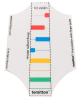
Fingerboard Quiz
A quiz to play with the temitton™ Finger Guide product. Find the notes shown on the staff on the fingerboard.
🔑 Authentication Code
Scan the install video QR code on your product package to find the code.
✓ Authentication complete.
Random Note Practice - Free
Choose a position from 1st to 5th and practice learning the positions. Notes appear at random — play them on your violin and check your fingering.
FREE · Uses Microphone
How do you want to practice?
Touch Game
Tap the fingerboard to find the note shown on the staff.
Real Violin Mode
Play the note on your real violin — your mic listens and checks the pitch.
NEW · Uses Microphone
Choose a String
G String
Thickest · Open G3
D String
Open D4
A String
Open A4
E String
Thinnest · Open E5
All Strings
G · D · A · E
Select Notes
Note Type
Number of Questions
Finger Labels
Q 1/10
✓ 0 / 0